
Building Your First Electronic Court Bundle
Comprehensive guides and video tutorials to help legal professionals create precise and compliant court document bundles efficiently
Building Your First Court Bundle with Zylpha
This video covers the basics of building your first electronic Court bundle with the Zylpha platform. In this video we cover adding files, adding sections, uploading your front cover, setting your numbering style and downloading the PDF bundle.
Quick Start Guide
Below you'll find an easy to follow step-by-step process on how to build your first Electronic Court bundle with the Zylpha platform.
Upload documents
Simple upload
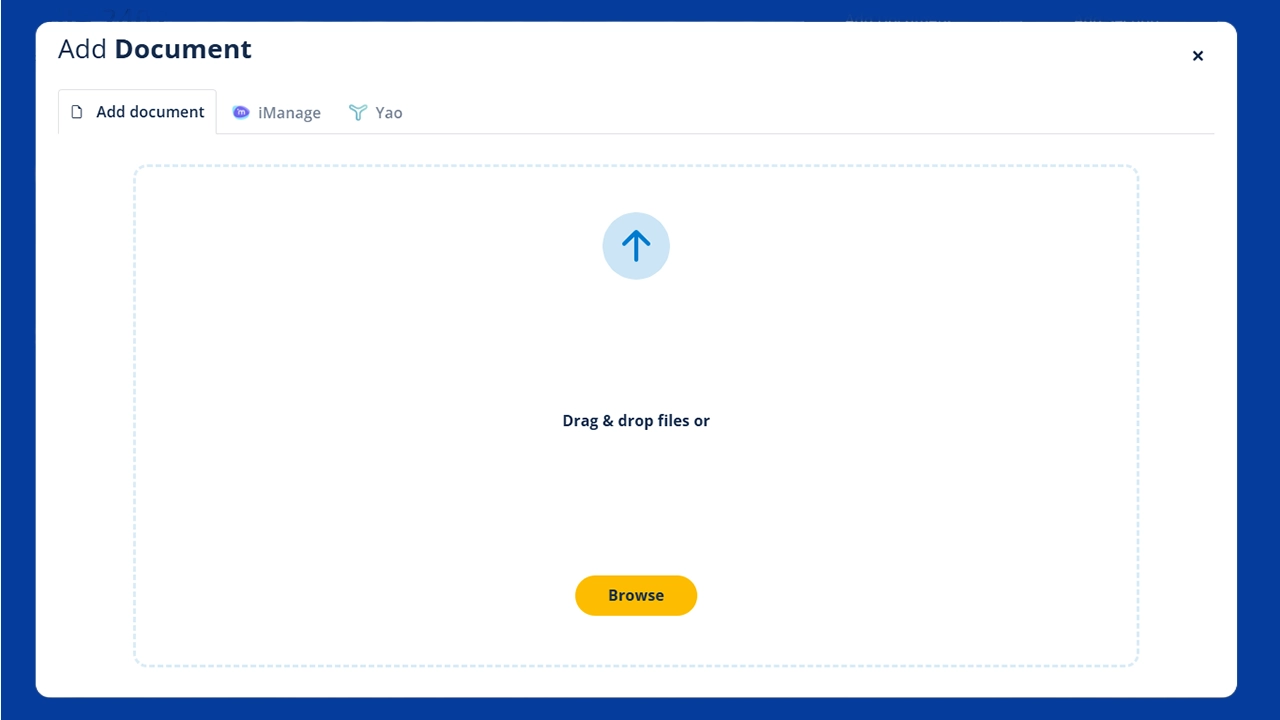
Quickly add all files to the Court bundle
Drag and drop all our files directly into the Zylpha platform which will then automatically convert to PDF
Organise files
Precise arrangement
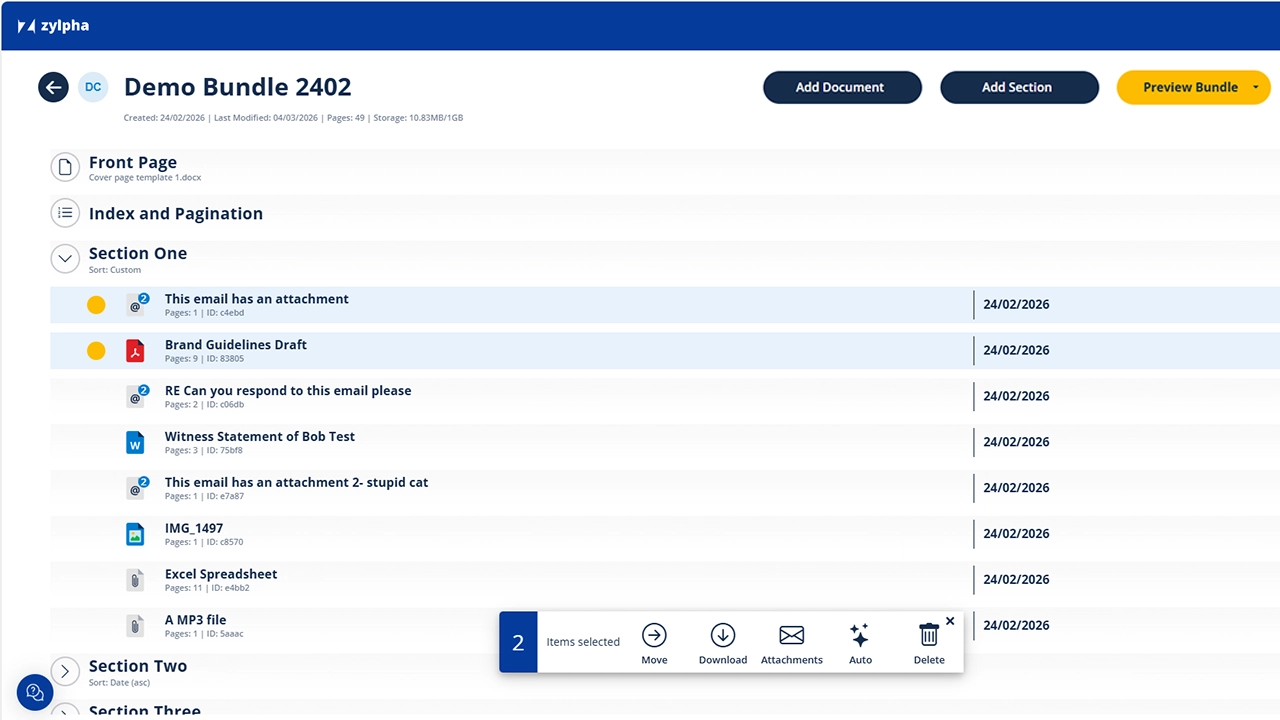
Add Sections & reorder documents
Arrange documents with precision using our intuitive interface. Reorder, group, and categorise your files with minimal effort.
Automatic numbering
Page sequence
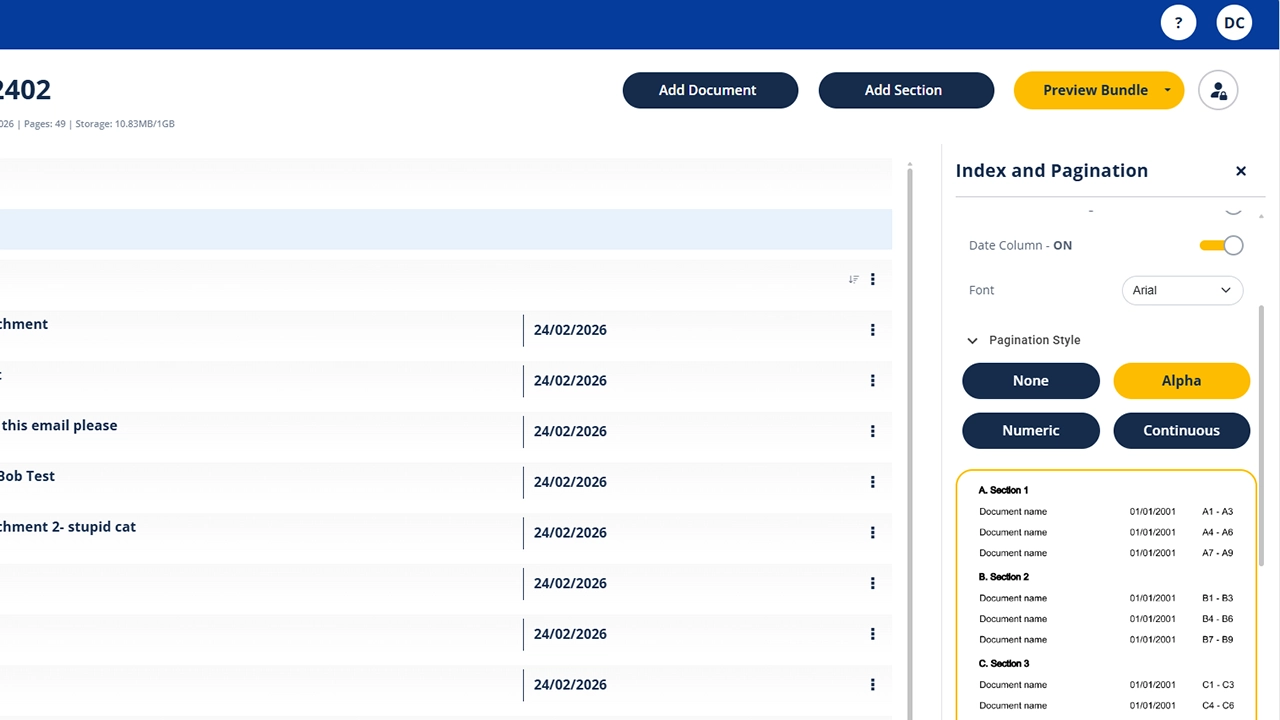
Effortless page numbering
Our platform automatically numbers pages and creates a comprehensive index based on your needs. Ensuring compliance with Court bundle requirements.
Generate bundle
Final output
Instant court bundle creation
Generate a fully compliant PDF bundle with a single click. Review, download, and submit your court documents efficiently.

Free Weekly Webinars
We deliver weekly webinar training sessions in a group setting that are free to attend for everyone.