
The updates are designed to streamline workflows, boost productivity, and provide users with greater control over their documents, enabling them to produce professional, polished Court and document bundles effortlessly every time.
We've streamlined the navigation structure to enhance the user experience. Users can now easily go back to the home screen by clicking on the Zylpha logo.
User Account settings and the logout option are conveniently located in a dropdown menu on the right. Administrators have an additional option available which gives them easy access to all the admin functions that are contained in the court bundling platform.
These subtle yet impactful changes not only increase available space for building bundles but also make navigating through the bundle workspace smoother and more intuitive than ever before.

While users have been accustomed to dragging and dropping files and sections whilst building their bundle, it wasn't visually apparent that this functionality was available. To address this, we've introduced hover-over icons in the form of grid lines, hand icons, and yellow drop indicator lines. These elements clearly indicate where users can reposition documents and sections during the bundling process, making it unmistakably clear when a drag and drop action is possible, as well as the precise position where the drop will occur.
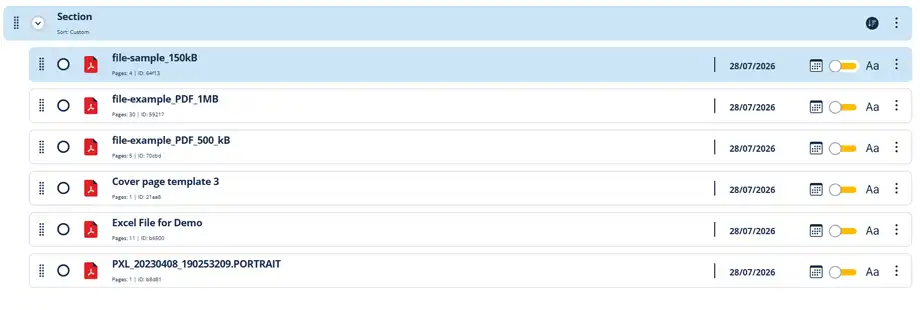
The introduction of 'In-line Editing' brings added convenience by allowing swift modifications to file and section display names directly within the interface, eliminating the need to open the properties panel. This feature further streamlines the editing process, enabling users to effortlessly update file and section names seamlessly as they bundle, enhancing efficiency and productivity within the bundling application.

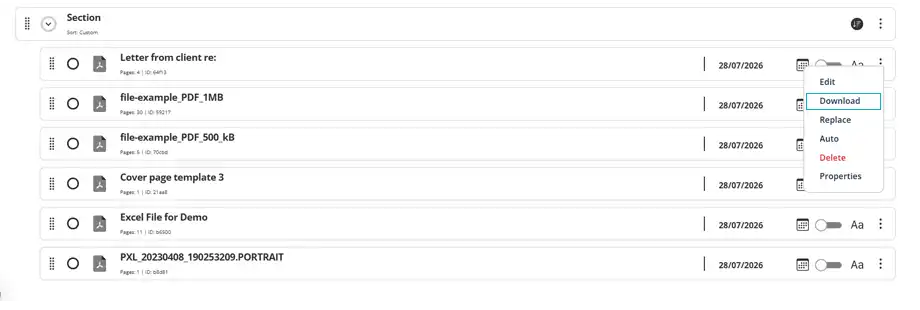
The newly added feature enables users to download copies of files directly within their bundle, offering enhanced control over documents throughout the bundling process. This functionality allows users to obtain copies effortlessly without to navigate away from the bundle workspace. Now users can efficiently access and manage their documents. It's another small but significant enhancement that contributes to improving the overall user experience, something we believe users will greatly appreciate.
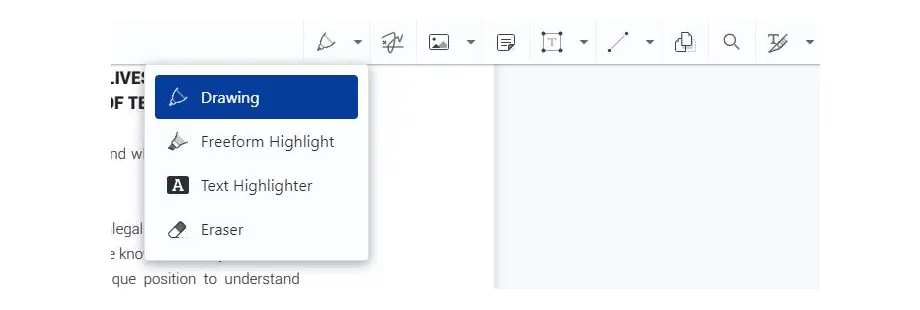
Solo & Team Subscribers now have the power to edit documents within their bundle before the bundle is even generated. These new PDF Editing features include tools like redaction, annotation, and drawing, users gain control over their documents, ensuring accuracy and quality control. This saves time and enables users to respond quickly to changes. (Note: This feature is exclusively for paid subscribers. Free users can upgrade to Solo or Team to access these powerful tools.)
These new features mark a significant milestone in our ongoing commitment to deliver a seamless and intuitive online document bundling experience, and we are excited for you to discover first hand the impact these features can have.
Some more articles of interest
Create your first electronic Court bundle in minutes, quickly & easily for free