
We're pleased to introduce the latest improvements to Zylpha’s electronic Court bundling platform.
Our September 2026 update includes one of our most requested features, alongside a quicker way to copy documents between sections and bundles, a new public status page and several smaller enhancements designed to make creating and managing court bundles even easier.
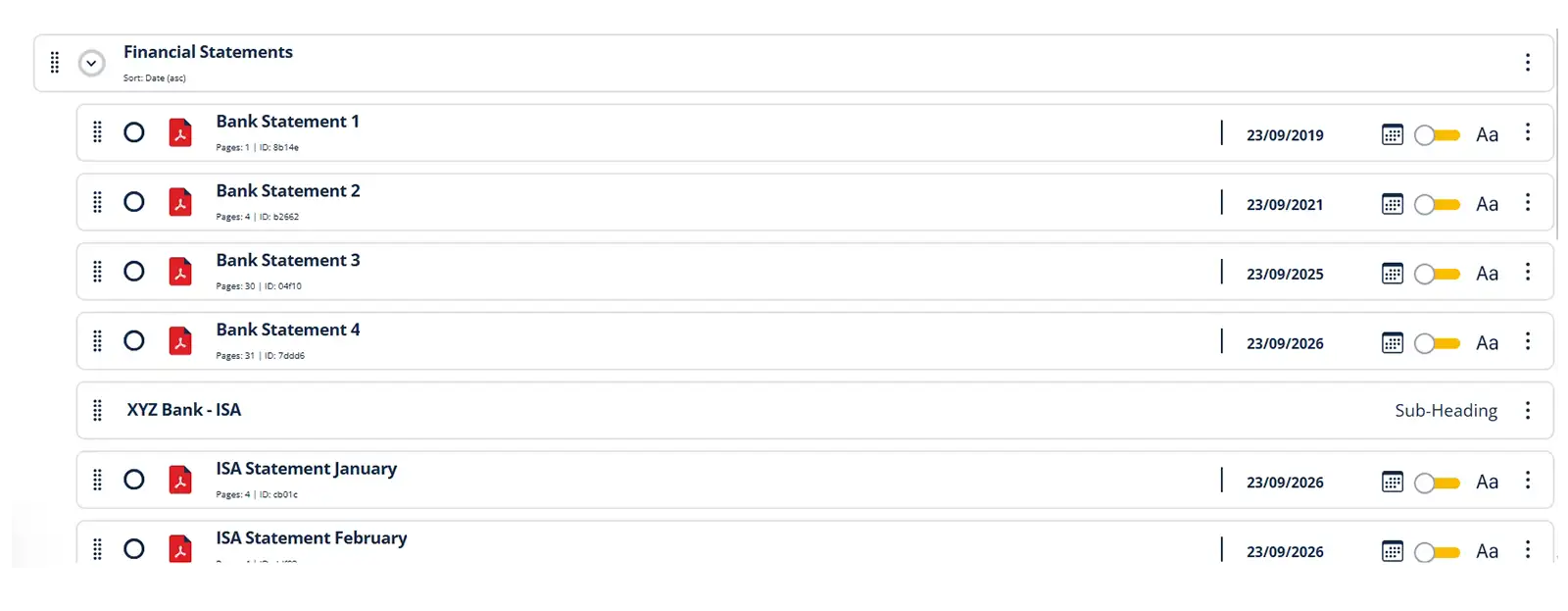
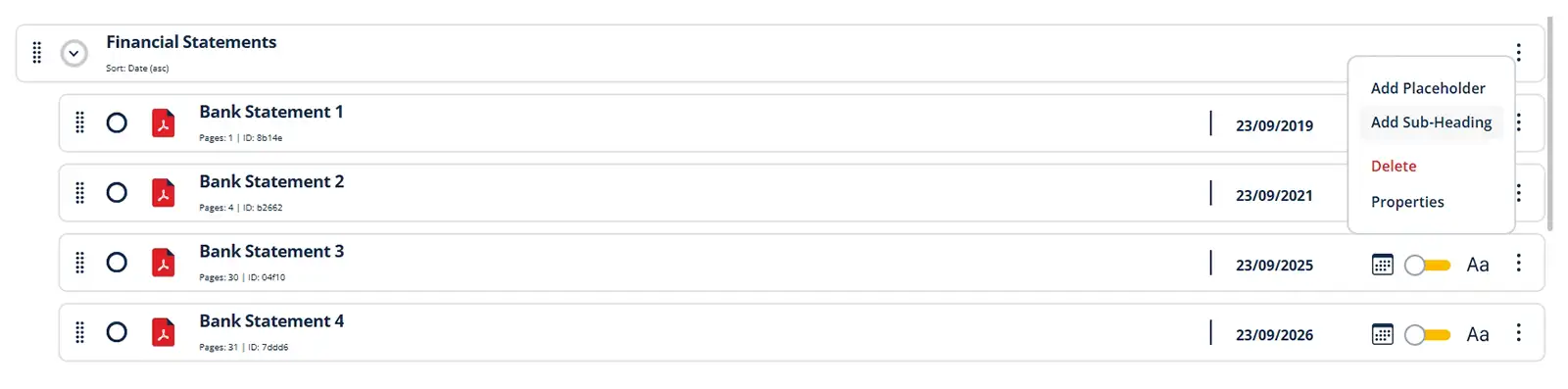
You can now add named and indented subheadings within your bundle sections.
Subheadings help you divide larger sections into clear, logical groups, making bundles containing a high volume of documents easier to organise, review and navigate.
A common example is the preparation of documents for a Form E Financial Statement. When you need to provide 12 months of bank statements for several bank or building society accounts, subheadings allow you to group the statements under the name of each relevant account.
This gives the section a clearer structure without requiring you to create multiple separate sections (and run the risk of being non-compliant).
To add a subheading:
When a subheading has been added, the sorting icon will be hidden for that section. This prevents documents from being moved accidentally between subsections if the section is sorted.
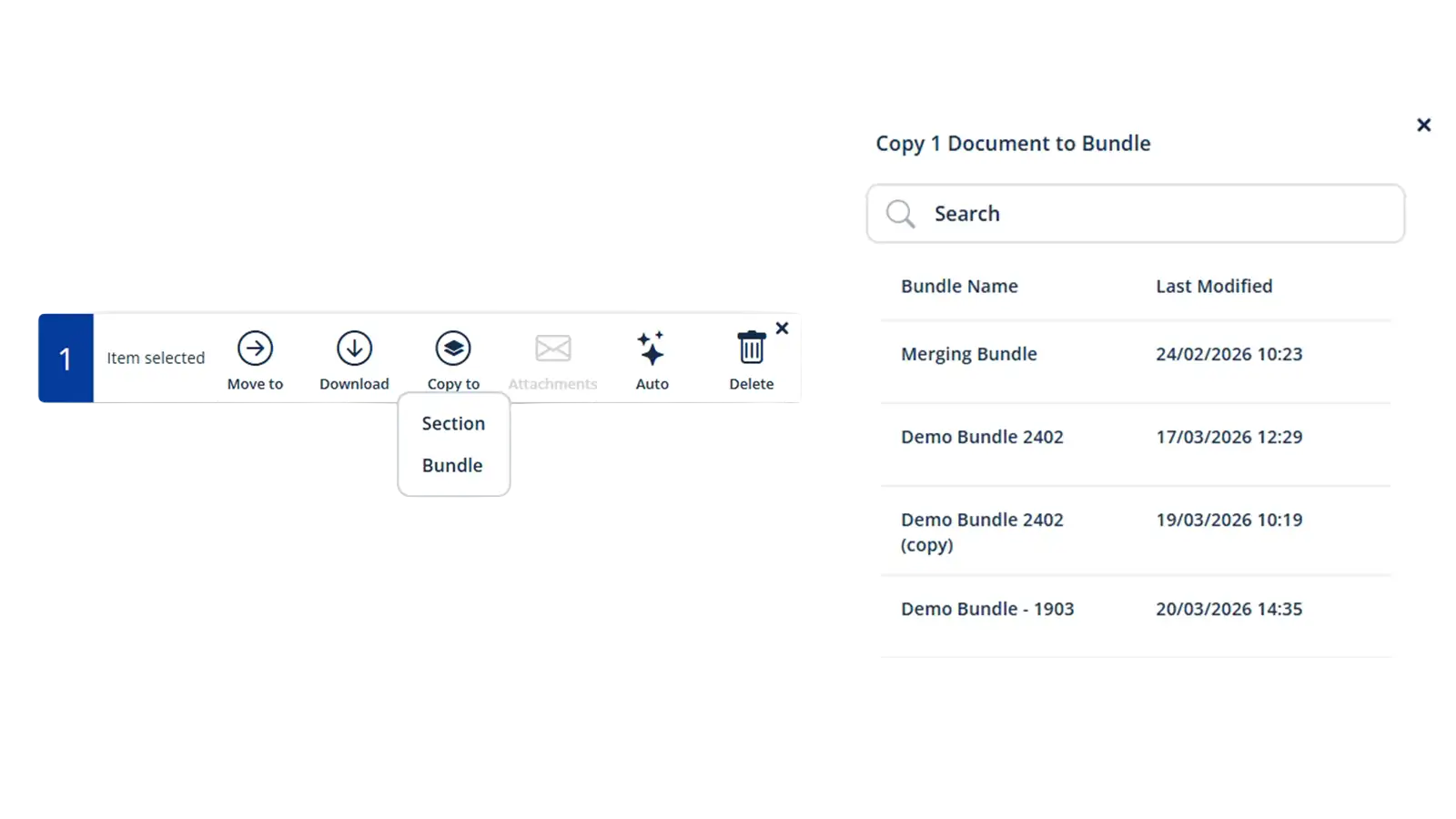
The multi-select toolbar now includes a new Copy to option.
This makes it easier to duplicate one or more selected documents, either to another section within your current bundle or to a completely different bundle.
Simply select at least one document and click Copy to. You can then choose where you would like the documents to go:
This is particularly useful when the same document needs to appear in more than one bundle or when you want to reuse documents without uploading them again. It provides a quicker, more convenient way to organise files across different matters and bundle structures.
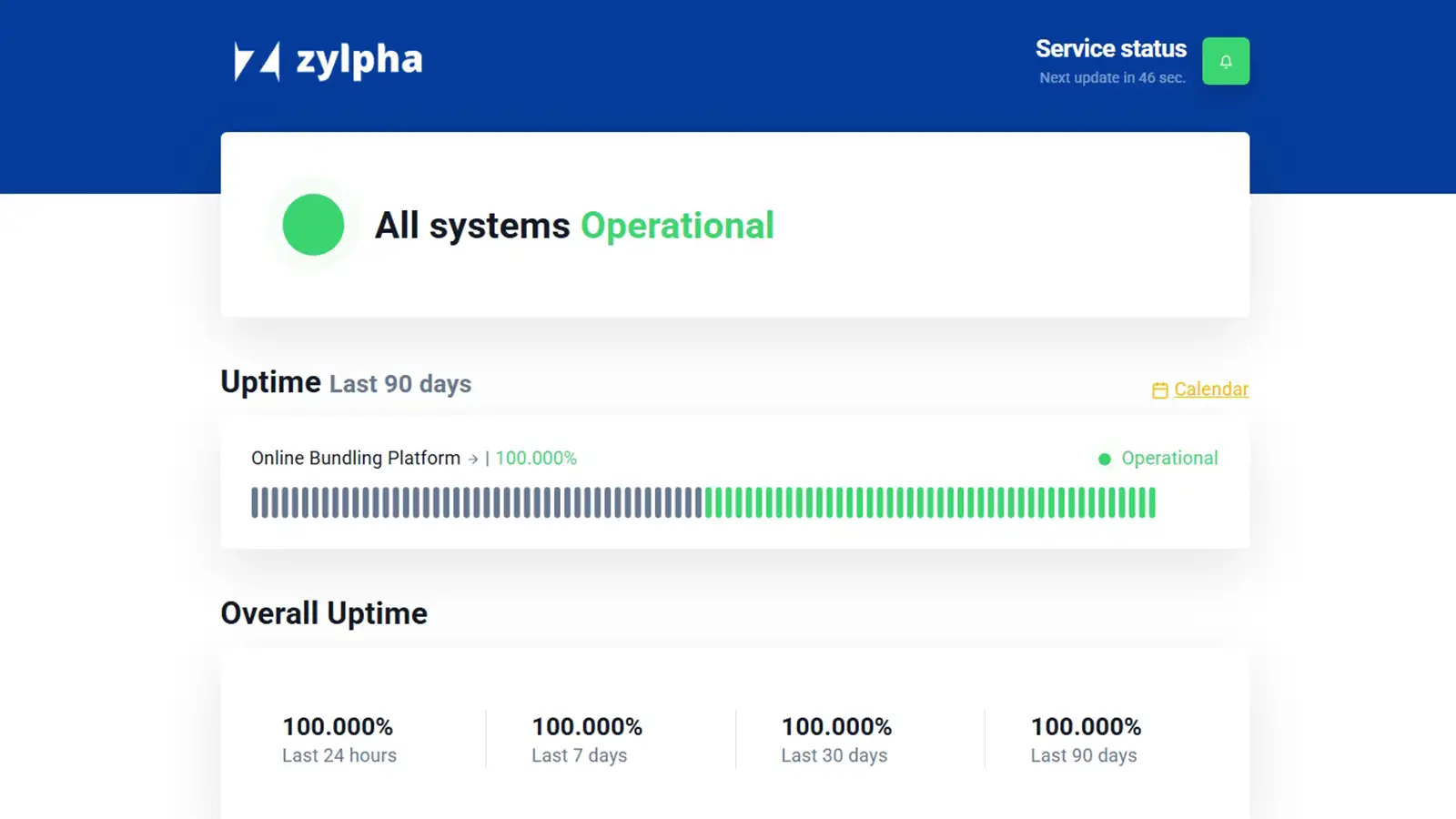
We have also launched a publicly accessible status page that provides information about the operational performance of the Zylpha platform.
The status page displays real-time service information, scheduled maintenance, reported outages and historical uptime data. It acts as a central source of information whenever customers want to check the availability of the platform.
You can also choose to receive email notifications whenever a new status update is published.
We understand how frustrating it can be when a technology provider does not clearly communicate whether its service is operating as expected. The new status page provides greater transparency and gives customers a quick way to find the latest available information.
Alongside these new features, the September update includes several smaller improvements:
These improvements are designed to make electronic bundle preparation clearer, quicker and more intuitive, particularly when working with complex sections or large numbers of documents.
Existing users can sign in to Zylpha to try the latest features. If you have any questions or would like assistance, the fastest way to contact the Zylpha team is through the in-app chat messenger in the bottom-left corner of the platform
Some more articles of interest
Create your first electronic Court bundle in minutes, quickly & easily for free